
A signature with a fingertip, and the dispute never happens
By Nicolas Lemielle, Director of DigiWall ·
The customer collects their order, drives off, and three weeks later disputes having received two of the eight parcels. Without proof of receipt, the discussion rarely ends in your favour. Wallify now has the delivery note signed on the spot, and that signature counts as proof.
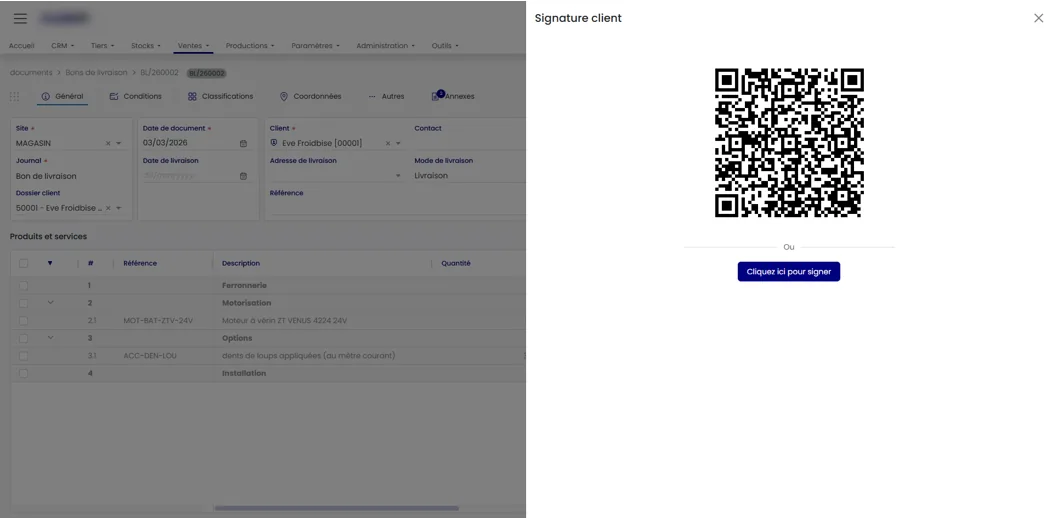
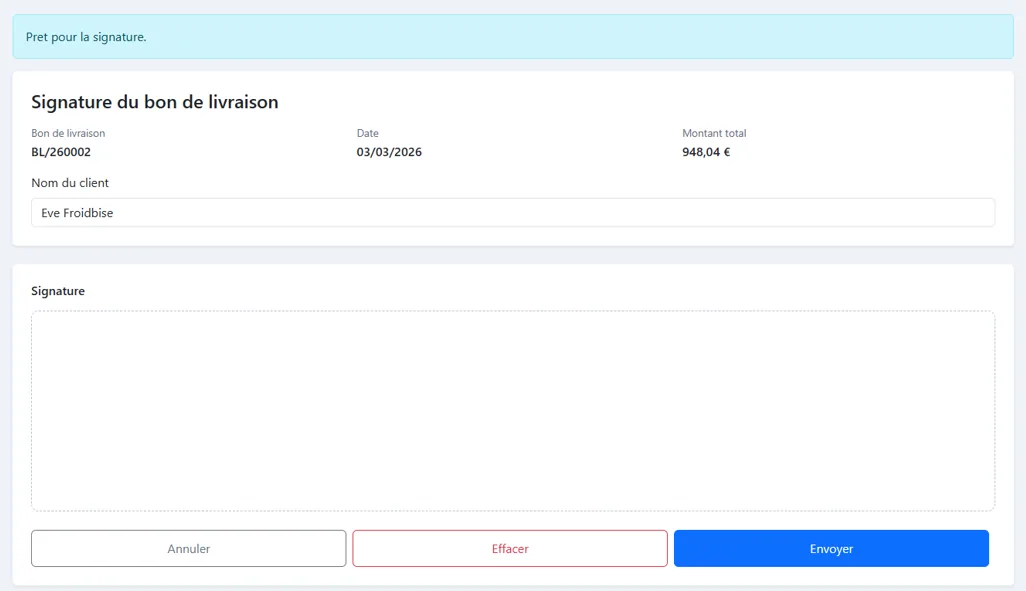
Signing on the screen, or on their own phone
Two ways, depending on the situation. On a touch terminal, a tablet or a smartphone, the customer signs directly in Wallify, with a fingertip or a stylus. If they prefer their own phone, Wallify shows a QR code: they scan it, a secure page opens on their device, and they sign there.
That QR code is valid for two minutes. It is deliberately short: it is there to have the person standing in front of you sign, on their own device, not to send a link that might be signed next week.
The page asks them nothing unnecessary. The note number, the date, the amount, their name already filled in — which they can correct if a colleague is taking delivery — and the signature area. Nothing else.
What is kept, and what makes the signature enforceable
A signature on its own would not prove much. Wallify records with it the date and time in universal time, along with the signatory’s name. It is that time stamp which turns a scrawl on a screen into an item of evidence usable in a dispute.
And the QR code invalidates itself after two minutes. Nobody signs a delivery note the next day, and nobody gets someone who was not there to sign.
Where it counts: at collection
The signature is only offered on a validated delivery note, and once only — a document already signed cannot be signed again. Once the signature is recorded, the document moves to signed status and the proof is attached to the delivery, viewable from the document.
It is at collection, over the counter or at the depot, that the gain is clearest. The driver or the warehouse keeper no longer has a book to get signed, no sheet to bring back, no note lost between the loading bay and the office. What is signed is in the ERP the second the customer puts the stylus down.
A question on this subject? Our analysts will answer you directly.