
A new interface, and AI on every screen
By Nicolas Lemielle, Director of DigiWall ·
Version 1.14 is the biggest release since Wallify was launched. Every screen gets a new look, an AI assistant is with you everywhere, and Wallify opens up to your own Claude. Out in the field, it brings delivery rounds, a touchscreen till and the mobile app for technicians.
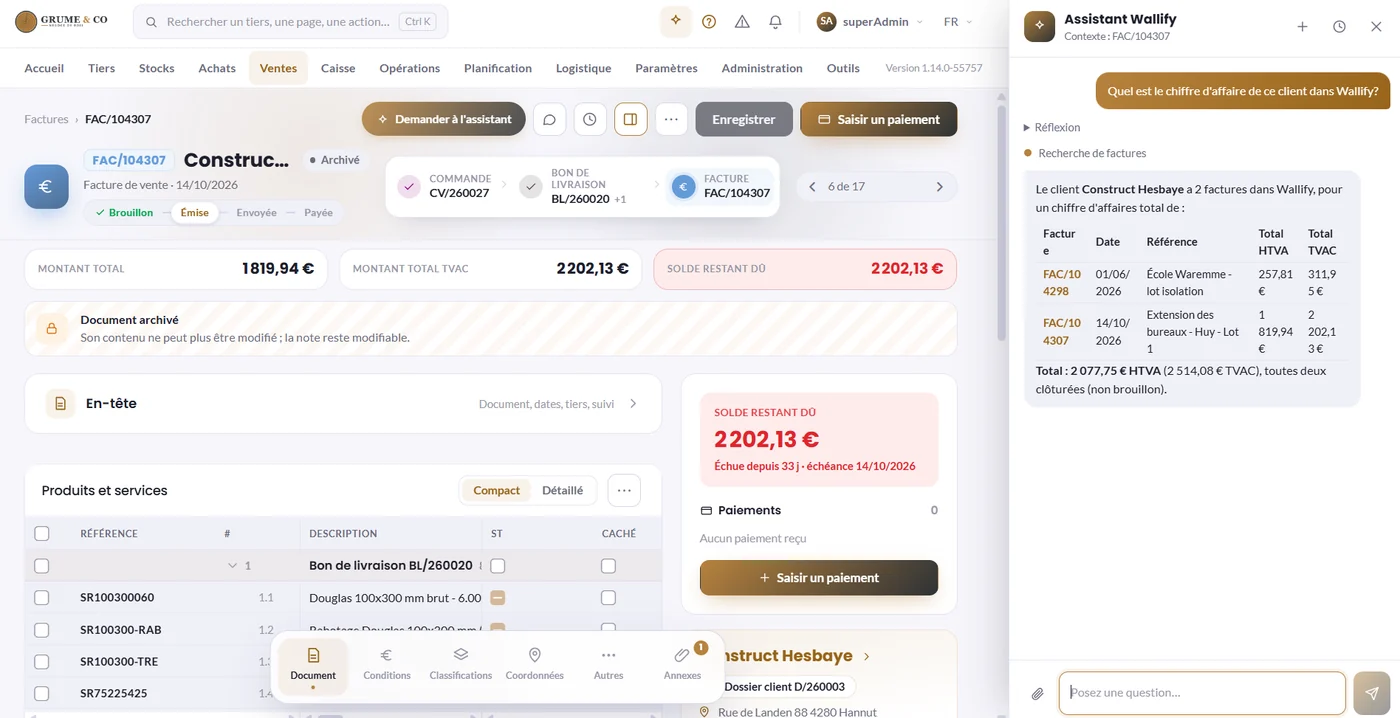
A redesigned interface, built for speed
A record opens on its header, and the « On this record » column takes you to each section and flags those with errors. A document shows its steps, its main button and, when it can no longer be changed, the reason why; its lines are entered and moved with the keyboard.
The command palette (Ctrl+K) finds a customer, an item or a document in a few keystrokes, even from the last digits of its number. Screens open faster, the manual is built into the application (a « ? » button on every screen, and the new features shown after each update), and Wallify takes on your company’s colours and logo.
An AI assistant on every screen
Ctrl+I opens the assistant next to the record on screen. It answers your questions about your data and about how Wallify works, in plain language. It fills in a form from a text or an attached file, and changes nothing without your approval.
On a new record, « Create with the assistant » fills it in for you; for a customer or supplier, the CBE and VIES lookup starts from the VAT number. The assistant also reads a web page whose address you give it, searches the internet and produces Excel, Word, PowerPoint or PDF files, to download or file on a record.
Wallify from your own Claude
« Connect Claude », in your account menu, lets you use Wallify from claude.ai, Claude Desktop or Claude Code: ask a question about your data, find a record, prepare a document. Claude works with your permissions and asks for your approval before any change. In a Claude Team or Enterprise organisation, an administrator adds Wallify once, and everyone else simply connects.
Your handwritten service reports, read by AI
Drop in the scanned PDF of your service reports filled in by hand: the AI finds the customer, the service order and the parts used. Once you have checked them, « Validate and import » adds the hours, the parts and the image of the report to the order. The cost of each analysis is shown, with the details in the services usage screen.
Delivery rounds
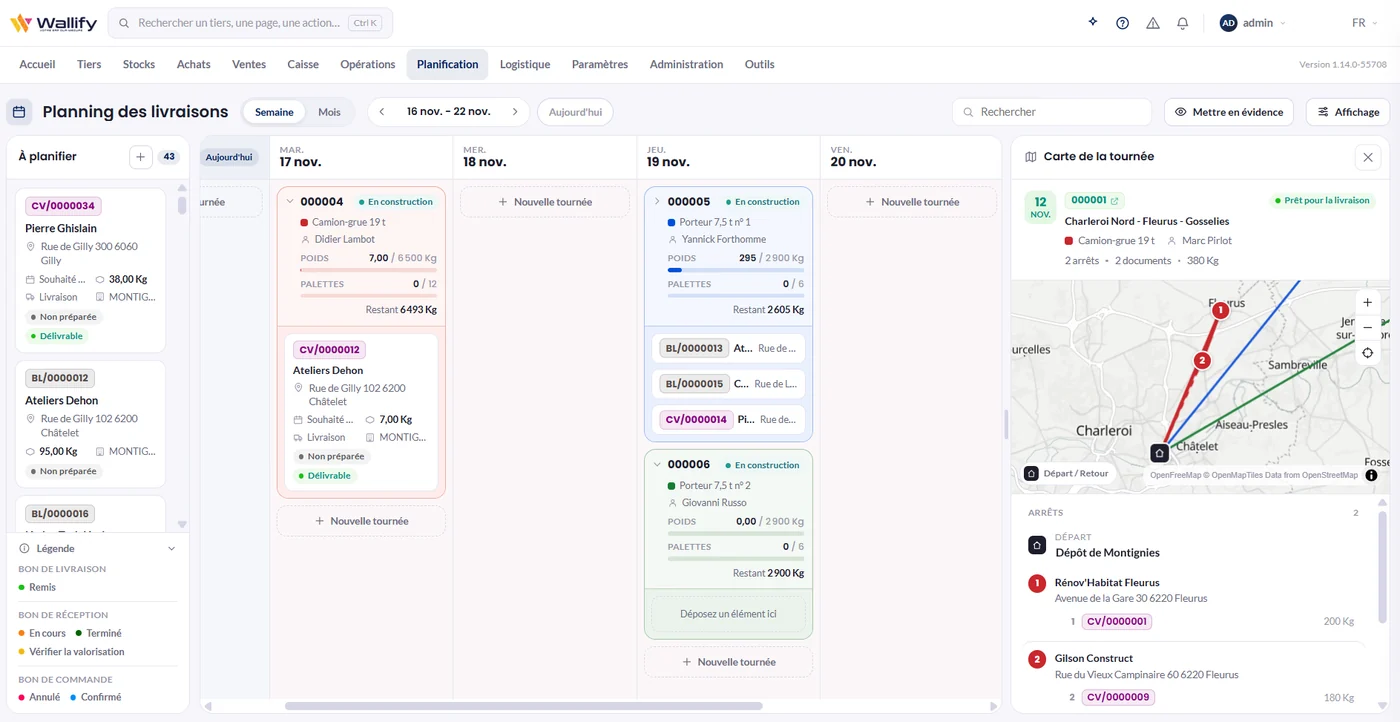
Announced with version 1.13, planning now covers deliveries. The orders, delivery notes and return notes to be transported wait in « To schedule », grouped by area, and are dragged onto a round: driver, vehicle, area. The round compares its weight and pallets with the vehicle’s capacity, and the order of its cards sets the order of the stops, shown on the map and on the printable route sheet.
When goods need picking, the round creates the picking slips for its documents, then the delivery notes for the completed picks. The driver receives the round, and any later change asks for confirmation.
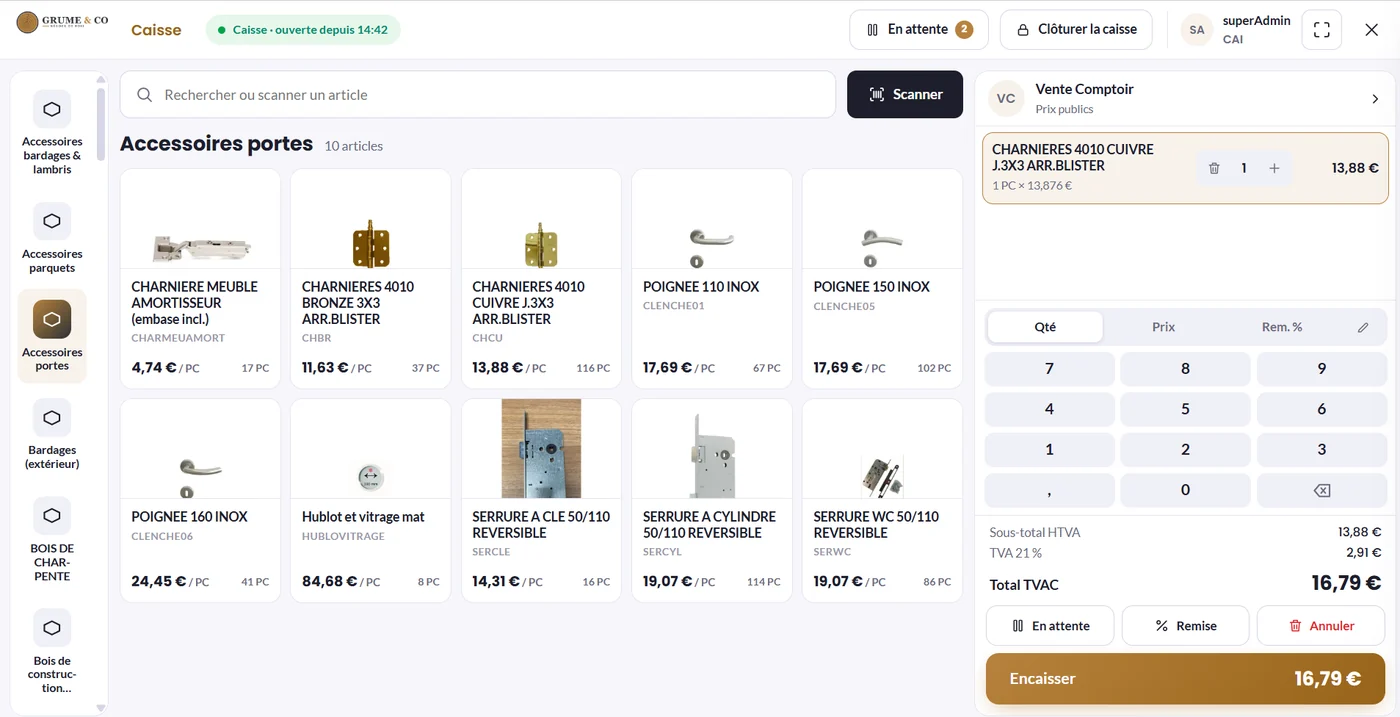
A touchscreen till for your counter
The new Till module tracks the cash in each till, session by session: opening and closing with a count of coins and notes, cash in and cash out, difference and till report. The session’s counter sales are then invoiced in one go.
Counter sales now run full screen on a touchscreen, for a dedicated station. The cashier sells by tapping items by family or scanning their barcode, puts sales on hold and takes payment by several methods; cash is rounded to €0.05 and the change is calculated. The receipt is printed or emailed, and closing prints the Z report.
Your technicians equipped in the field
A technician finds the day’s jobs in the mobile app: opens the record, ticks off the steps, adds parts and photos, gets the customer to sign and closes the job, even without a network. Everything flows back to the service order, and the PDF report, with the signature, is emailed to the customer.
The service order also tracks repairs sent out to a supplier (carrier, dispatch and return dates, status), and can be emailed to the customer or the supplier from your templates.
Also in this release
Emails from your contacts: an email prepared from a customer, a prospect, a supplier or an activity, using your templates.
Records created from a VAT number: anywhere in the European Union, tagged « VAT validated » when VIES confirms the number.
The customer’s accounting history: their entries in the Horus accounting system, one click from their balance.
Production: produced pieces with their serial numbers and labels, orders locked as soon as production starts, delays flagged on the planning.
Settings arranged by area: with a search across every entry, and roles you can compare side by side.
In practice
The new interface, the assistant and the built-in help are for every user. The till, delivery rounds, service orders and production depend on the modules active in your licence. The AI connector is included in all three licences: you plug in your own AI subscription. Let’s talk it over and work out together what makes sense for your organisation.
See also
This subject is covered in detail on the module page: